
Features
All features
Each person gets their own sign-in, with exactly the access you choose.
Sharing one login is the thing to avoid. Each person gets their own account, and you decide, area by area, what they can change, what they can only see, and what they cannot see at all.
Team under Account is where you add someone. They receive an email with a 6-digit verification code and a link where they choose their own password. You never handle a password, and nobody but them ever knows it.
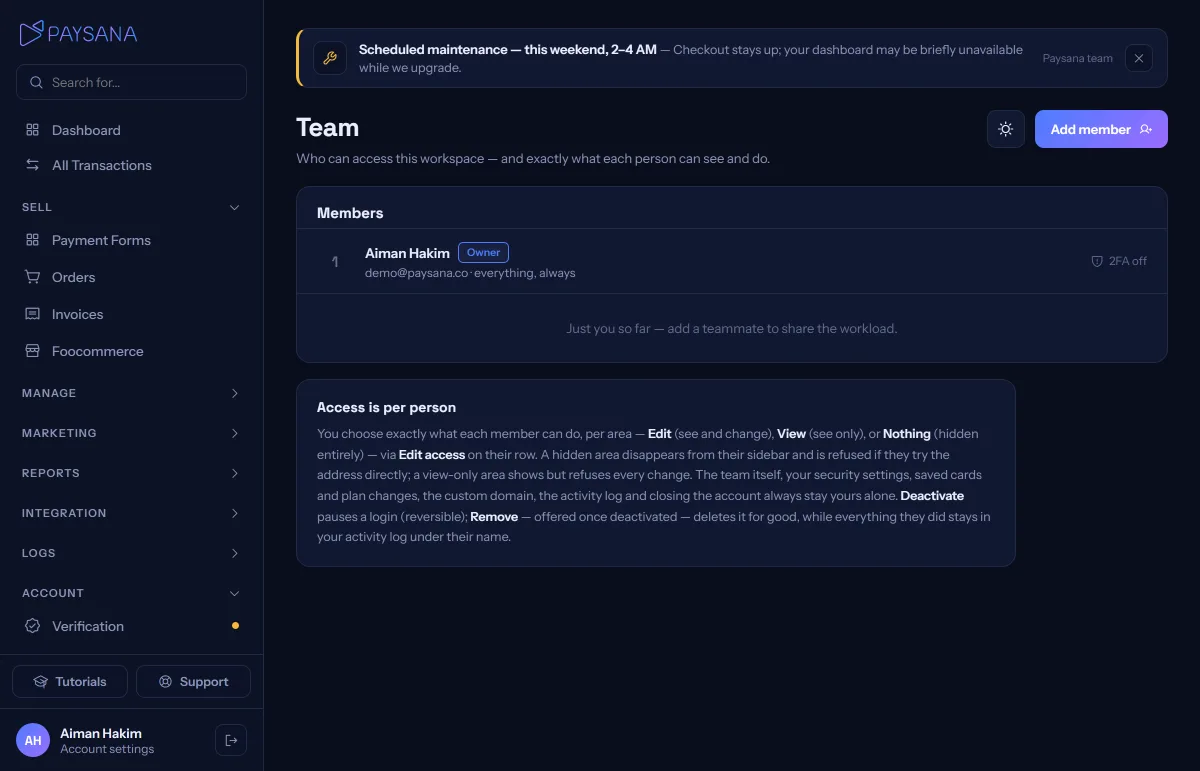
Pick a ready-made setup (Full access or Day-to-day selling) or choose area by area: every part of the portal can be Edit (see and change), View (see only) or Nothing (hidden entirely). Change it any time with Edit access on their row.
Access is checked on our servers, not just hidden in the interface: a view-only member can open the page but every change is refused, and a hidden area is refused even if they type the address directly.
Deactivate a member and they are locked out immediately, and it is reversible. Once deactivated you can also remove the login for good; everything they did stays in your activity log under their name.
Join the businesses already using Paysana to collect payments, send invoices and grow.