
Features
Integrations Pricing Developers Guides

Collect and approve product reviews

Ratings from verified buyers, shown only once you approve them.

Running your business 1 min read 4 steps 1 screenshots

A reviewer has to prove they bought the thing before they can write anything, and nothing appears publicly until you say so.

1

Buyers find the review link

It sits on the store receipt and in the buyer order lookup, so the people who can review are exactly the people who bought.

2

They prove the purchase

An order reference plus the email they checked out with. One review per order, so nobody can pile on.

3

You approve or reject

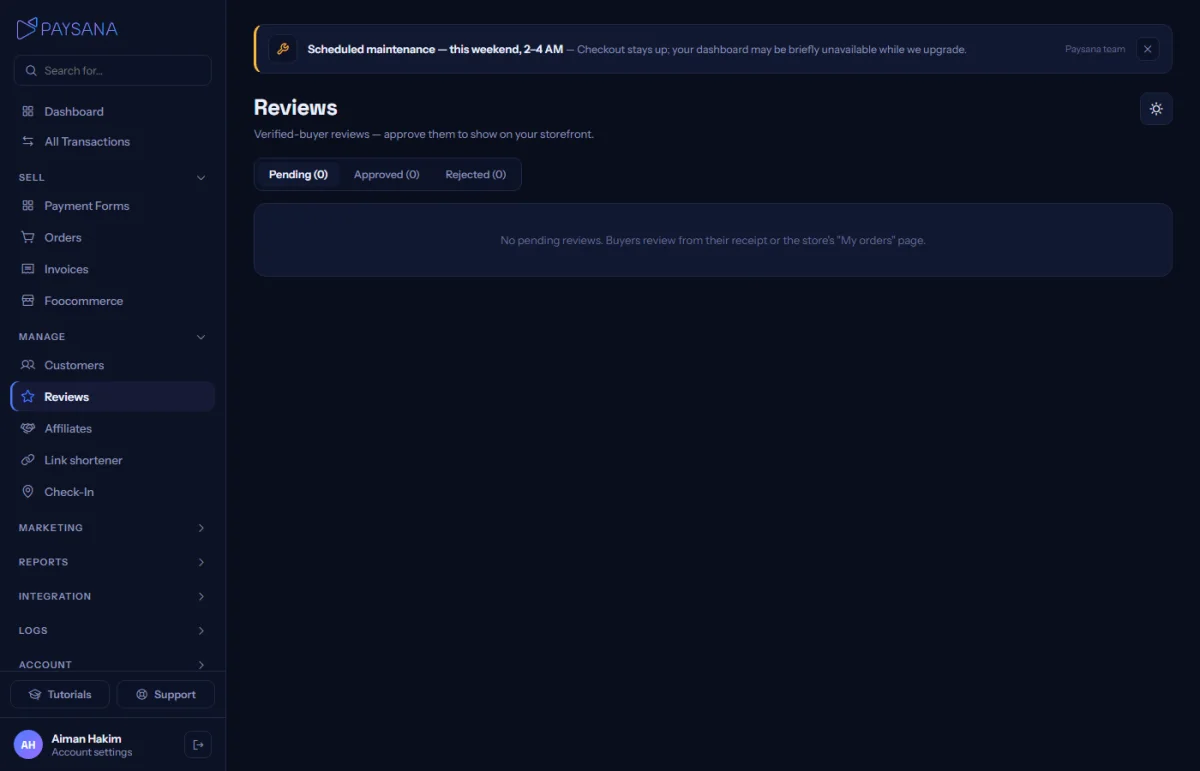
Everything arrives pending on your Reviews page with the buyer and product in front of you. Approve it and it goes live; reject it and it never appears.
app.paysana.co
The reviews queue. Nothing is public until you approve it.
4

It shows where it counts

Approved ratings join the product average, appear as stars on your shop cards and fill the reviews section on the product page.

Worth knowing

  • Reviews need customer accounts switched on in your shop settings. That is what gives buyers the order lookup the review link sits on.
  • You are moderating, not editing: approve or reject, so a published review is genuinely the buyer’s words.

Read next

Still stuck? Send us a message and a person will answer, usually within one working day.
Contact us

Ready to try it?
Start free today.

Join the businesses already using Paysana to collect payments, send invoices and grow.

Free plan forever · No card to sign up · Your own gateway
We use cookies to measure how this site is used and how well our advertising works. They are optional, and the site works exactly the same either way. Read our privacy policy.