
Features
All features
Upload photos, see what is using space, and free some up.
Images are compressed for you on upload, so a phone photo does not cost you megabytes. Your plan sets a quota, and one page shows exactly what is using it.
The Details tab holds the image grid. Select several at once. The first becomes the cover. If a batch would breach the six-image limit or your quota, the ones that fit are kept and you are told why it stopped.
Every upload is re-encoded to a web-friendly format with a thumbnail, and photo metadata is stripped. A two-megabyte photo typically stores as a fraction of that.
Storage under Account shows a usage bar and every image you hold, sorted largest first by default, because the job of that page is finding what to delete.
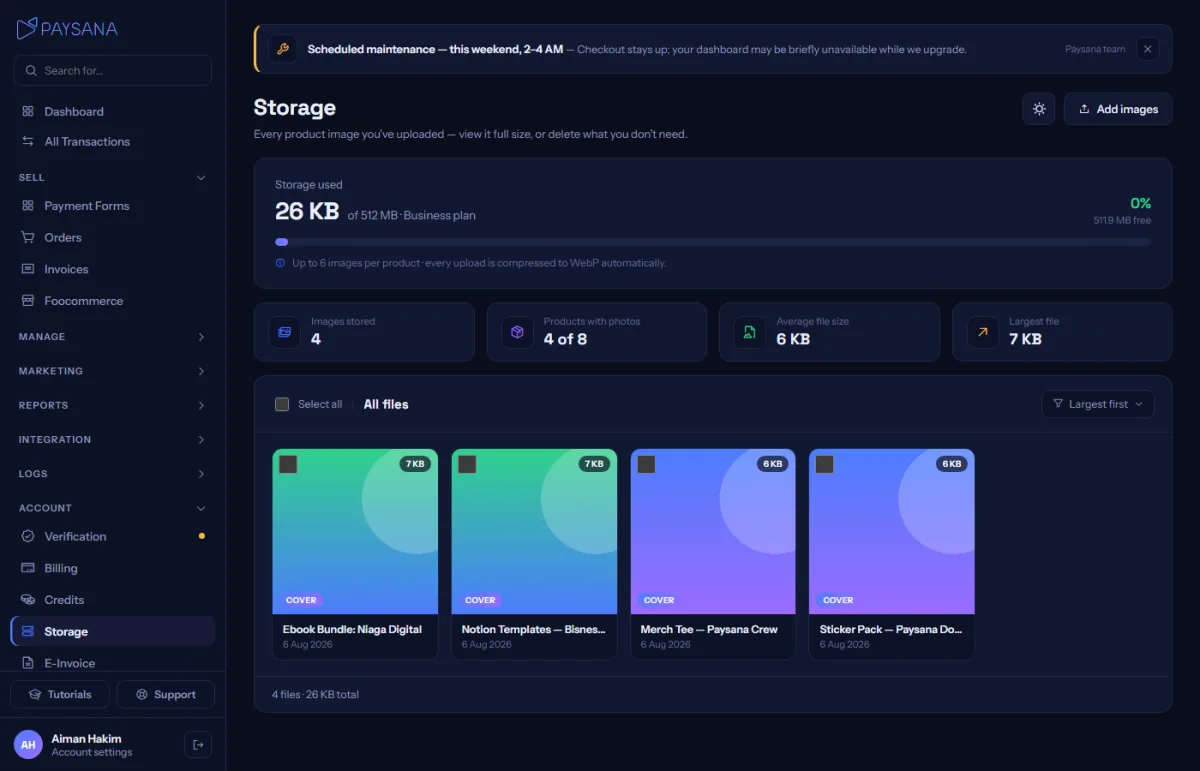
Delete a single image from its tile, or tick several and use the bulk action. The bar tells you how many bytes you would free before you commit.
Join the businesses already using Paysana to collect payments, send invoices and grow.